
















The right people on every job.
Book your own team and freelance crew on the same reservation as the equipment they run, see who is available before you commit, and follow everyone's week on one schedule, grouped by person.
MCMaya ChenTechnical director
Saturday match
07:00AM - 11:00PM#4365
Concert tour leg
10:00AM#4380
JRJon ReyesCamera operator
Saturday match
07:00AM - 11:00PM#4365
Midweek cup
06:00PM#4371
PNPriya NairCamera operator
Morning show
05:00AM#4352
Studio 4 taping
09:00AM - 06:00PM#4368
SOSam OrtizFreelance · Northline Crew
Concert tour leg
10:00AM - 01:00AM#4380
LOLuis OrtegaCamera operator
Saturday match
07:00AM - 11:00PM#4365
Midweek cup
06:00PM#4371
People, booked alongside the equipment.
A job needs more than cameras and a truck. It needs the operators, engineers and freelancers who run them. In Beam they are added to the same reservation as the equipment, from your own team or from your contacts.
You see who is available before you add them, swap anyone who drops out in one step, and follow everyone's week on one schedule grouped by person.
Book the crew
Users and contacts on the same reservation as the equipment.
See who is free
Availability for the job's dates, before you add anyone.
Swap in one step
Replace someone who drops out with someone who is available.
Everyone's week
A schedule grouped by person, pinned the way you work.
The crew, on the same reservation as the equipment
Add people to a reservation the same way you add cameras and a truck. Pick from your own team and your contacts, see their title and how to reach them, and keep the whole job, equipment and people, on one record.
- People alongside products and locations
- Your team and freelance contacts
- Title, email and phone on every row
- Group the list by availability or any column
#4365Saturday match: North StadiumOpenOct 10 → Oct 11North Stadium
Add People
Who is on which job, at a glance
The Resource Schedule lays out every reservation by person, so you can see each person's day or week next to everyone else's. Pin the people you follow most, zoom from hours to months, and save the view for your team.
- Resource Schedule grouped by people
- Pin people to the top
- Zoom from hours to months
- Group by location, tags or companies too
MCMaya ChenTechnical director
Saturday match: North Stadium
07:00AM - 11:00PM#4365
JRJon ReyesCamera operator
Saturday match
07:00AM - 11:00PM#4365
PNPriya NairCamera operator
Morning show
06:00AM - 10:00AM#4352
Studio 4 taping
12:00PM - 06:00PM#4368
SOSam OrtizFreelance · Northline Crew
Concert tour leg: load-in
02:00PM - 08:00PM#4380
MCMaya ChenPinned
JRJon ReyesPin
PNPriya NairPin
Your team and freelance crew, on one list
Book the people on your own team as users, and freelancers and outside crew as contacts, linked to the company they work for. Contacts do not need a Beam login, and you can create one in the middle of booking a job.
- Users from your own team
- Contacts for freelancers and outside crew
- Contacts linked to their company
- Create a contact while you book
Add People
New Contact
Plans change. Swap someone in one step.
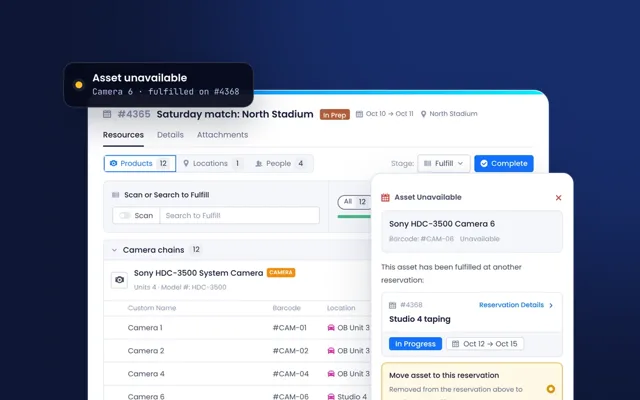
Everyone on a job shows whether they are available for its dates. When someone becomes unavailable, Beam lets the right people know, and you can replace them with someone who is free without rebuilding the booking.
- Availability for the job's dates
- Show only available people
- Replace a person in one step
- Alerts when people are added, removed or become unavailable
#4365Saturday match: North StadiumOpenOct 10 → Oct 11North Stadium
Replace
From the first name to a full crew.
People move through the same reservation as the equipment, so the job is planned, staffed and followed in one place.
- 01Add
Pick people from your team and your contacts as you plan the job.
- 02Check
See who is available for the job's dates, and filter to only those who are.
- 03Swap
Replace anyone who becomes unavailable, in one step.
- 04Follow
Everyone's day and week on the Resource Schedule, grouped by person.
Connected to the rest of Beam.
People are booked on the same reservations as the equipment, so the schedule, the job and the crew always line up.
- Scheduling & ReservationsPeople and equipment on one reservation, from the first plan to check-in.
- CompaniesFreelancers and outside crews linked to the vendor or service provider they work for.
- Asset IntelligenceThe equipment each crew runs, on the same job as the people running it.
- Ticketing, Workflows & MaintenanceTickets assigned to the same users you schedule.
One crew list, from planning to the show.
- Crew leadsWho is on which job this week?The Resource Schedule grouped by person, with the people you follow pinned.
- ProductionHave we got everyone for Saturday?The people on the reservation, grouped by availability.
- SchedulingSomeone dropped out. Who can cover?Only available people, and a replacement in one step.
- OperationsWhich outside crews are we booking?Contacts linked to their companies, on the same schedule as your team.
Crewing your next job.
Our team brings your people across with your equipment, and sets up the schedule views each team works from.
Bring your people
Users for your own team, and contacts for freelancers, linked to the companies they work for.
Set up the schedule
The Resource Schedule grouped by people, with pinned rows and saved views for each team.
Crew the next job
Add people to the reservation alongside the equipment, and follow it through to the show.
Everything in Resource Management.
The full capability list, grouped the way the product is. Open a group to see what is in it.
People on reservationsBooking the crew for each job.
- Add users and contacts to a reservation
- People alongside products and locations
- Search and filter people as you add them
- Show only available people
- Replace a person in one step
- Group the people list by availability or any column
- Create a contact while you book
Resource ScheduleSeeing everyone's week.
- Group by people
- Pin people to the top
- Zoom from hours to months
- Group by location, tags or companies
- Saved and shared views
- Time zone per view
Users and contactsYour team and outside crew.
- Users from your own team
- Contacts for freelancers and outside crew, with no Beam login needed
- Contacts linked to their company
- Title, email, phone and location on each person
NotificationsKeeping everyone in the loop.
- People added to or removed from a reservation
- A person became unavailable
Coming soonNext on the roadmap.
- Skill-based matching Coming soon
- Crew confirmation Coming soon
- Labor compliance rules Coming soon
See your next job crewed in Beam.
Bring an upcoming job and we will plan the people and the equipment with you, on one reservation.