
















Onboarding Process
How your team gets onto Beam: who leads the rollout, how your records come across, and how your first site goes live within weeks.
- First site live in weeksThen every other site, one at a time.
- An implementation specialistWorking with your team from the first conversation.
- Secure, AI-assisted migrationSpreadsheets, legacy tools, ERP exports and invoices.
- Unlimited usersTrain the whole team, with no per-seat pricing.
Onboarding
Every rollout is led by a Beam implementation specialist working with your technical team. Your first site is live within weeks, then the rest of the operation comes across one site at a time.
Discover
Your implementation specialist learns how your operation runs today.
- Map your sites, teams, current tools and workflows
- Agree which records and modules come first
- Work out the asset and contract value your pricing is based on
- Share equipment lists, exports and the systems you use now
- Name the people who will run Beam day to day
Migrate
Your existing records come across, matched to the manufacturer's product as they land.
- Bring in spreadsheets, legacy asset and maintenance tools, ERP exports and invoices
- Match every product to verified manufacturer data
- Flag conflicts and near matches for your review
- Review conflicts and approximate matches
- Fill gaps the data team cannot confirm
Shape it to how you run
Beam is configured around your existing processes rather than the other way round.
- Set up locations and the site hierarchy
- Create custom fields, statuses, roles and permissions
- Build saved views for each team and connect the systems you already use
- Confirm fields, statuses and who sees what
- Decide which alerts and notifications each team gets
First site goes live
Your team starts working in Beam on the first site, with your specialist alongside.
- Train users in online sessions, and on site when the rollout calls for it
- Identify gaps and take feature requests back to the product team
- Run day-to-day work for the first site in Beam
- Tell us what is missing or slowing you down
Extend across the operation
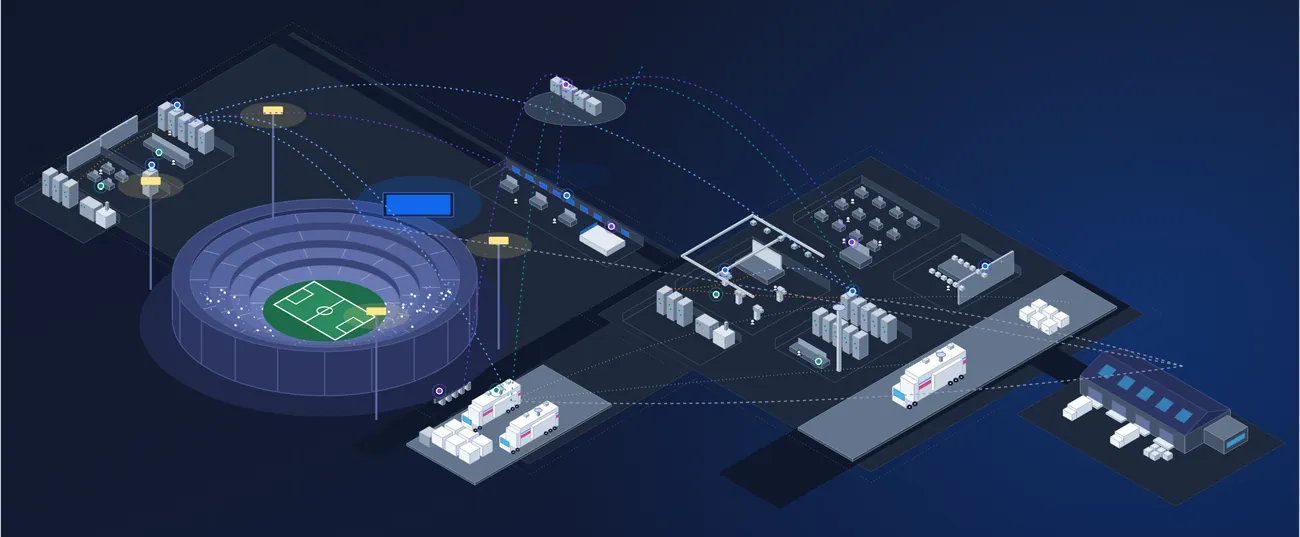
Venues, warehouses, stations, trucks and cloud services join the same standard.
- Repeat migration and setup for each new site
- Turn on further modules when you are ready
- Choose the order sites and teams come on
- Add users at no extra cost: users are unlimited
Timing depends on how many sites, records and systems come across first. Your specialist plans it with you during discovery.
Your data, matched
Existing records come across with secure, AI-assisted migration, and every product is matched to verified manufacturer data as it lands. Results that need a decision wait for your team.
Where it comes from
Any mix of sources
- Spreadsheets and equipment listsInventories, as-built lists and asset registers, as you keep them today.
- Legacy asset and maintenance toolsExports from the tracking, scheduling and ticketing systems you use now.
- ERP exports and invoicesPurchase records that become assets with their cost and vendor.
- Your integrator's handoverSystem integrators can load a project's asset list at the end of an install.
- Connected systemsOngoing sync through integrations and the Beam API, alongside one-off imports.
How each product is matched
Every import is tracked in your workspace
- 01MatchEach product is matched against Beam Insights. When no match is found, the data team searches for it by hand.
- 02EnrichSpecifications, manuals, firmware, lifecycle and end-of-life dates are attached to the record.
- 03ReviewThe data team checks the result before it is marked complete.
- 04ApproveYou see every result and decide on conflicts and near matches before they are applied.
Every result carries a status, so you know what needs you:
- IdentifiedMatched with no conflicts
- ConflictsDiffers from your data
- Approximate matchNeeds your confirmation
- UnidentifiedNot found yet
- 11,000+manufacturers and vendors
- 2×human verification
- 24/7monitoring and refresh
Planning a rollout?
Tell us about your sites and the systems you use today, and we will walk you through what onboarding looks like for your operation.