
















The Beam platform
The records you manage, the modules that work on them, and the capabilities built into all of it. One system, defined on one page.
Records
Everything in Beam is a record, with its own fields, statuses and history. Resources, the things you book, rent or sell, sit at the center, and every other record works around them.
Resources
Anything you can book, rent or sell to a customer. Each one has its own record, availability, cost and history.
AssetsThe core record every module works from
- DevicesCameras, routers, consoles, displays and everything else with a serial number.
- LicensesSoftware seats and subscriptions, tracked like any other asset.
- ServicesCloud playout, connectivity and support, delivered rather than shipped.
People and placesBooked on a job, or billed to a customer
- ContactsCrew, freelancers and other people outside your team, booked on a job or billed to a customer.
- LocationsStudios, rooms, venues and sites, booked or rented out, nested up to seven levels deep.
Catalog
How resources are described, grouped and priced.
- ProductsThe make and model behind an asset: manufacturer data, plus your pricing, accessories and substitutes.
- Product bundlesProducts that always go out together, added to a reservation in one step.
- Asset groupsAssets booked, moved or serviced together, like the cameras in a flight case.
- Parts and consumablesSpares and expendables tracked by quantity, with stock levels and restock alerts.
Work
What gets done with your resources, and on them.
- ReservationsBookings of assets, people and spaces for a job and its dates.
- TicketsService requests and issues, by ticket type, each with its own workflow.
- MaintenancePlanned and recurring work on assets, with schedules and checklists.
- PurchasesPurchase requests with line items, vendors, approvals and cost totals.
Relationships
Who you work with, and the terms you work on.
- CompaniesVendors you buy from, partners who install and support, and clients you serve or rent to.
- ContractsWarranties, support agreements, licenses and subscriptions, with terms, cost and renewal dates.
- Users and groupsYour own team, organized into groups with roles and permissions.
Information
What you know about each record.
- DocumentsManuals, drawings, invoices and photos in folders. Manufacturer manuals arrive already attached.
- VaultLogins, passwords and notes, encrypted and visible only to the people allowed to see them.
- TagsCategories and tags you define, for filtering, saved views and kits.
Modules
Start with one module and add others as you need them. Each one reads and writes the same records, so nothing is entered twice.
Intelligence
Start with the one that fits your business. Every other module builds on it.
- Asset Intelligence
The system of record for every asset, device, license or service, across its lifecycle.
- Any asset type
- Location hierarchy
- Lifecycle and warranty
- Configuration
- Documents and vault
- Check in and out
- Contract Intelligence
Warranties, support agreements, licenses and subscriptions, with renewals ahead of the deadline.
- Renewal tracking
- Coverage by asset
- Spend by vendor
- Contract dashboards
- Renewal alerts
- Integration Intelligence
For integrators and service providers: a master account with a workspace for every client.
- Client workspaces
- Project handover
- Client portal
- Update and lifecycle reporting
- Shared tickets
Operate
Add the workflows your operation runs on.
- Scheduling & Reservations
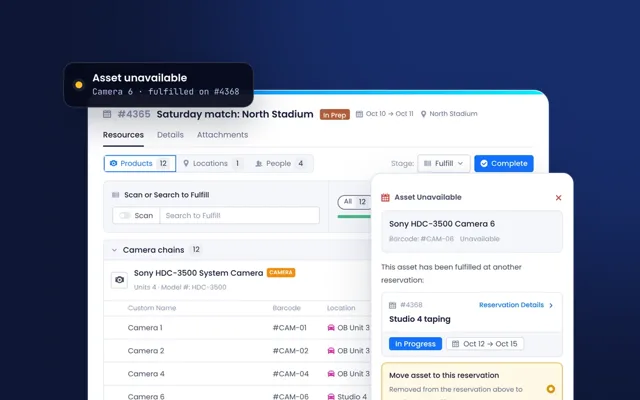
Plan, fulfill, check out and check in equipment, people and spaces without double booking.
- Timeline and calendar
- Availability by unit
- Conflict detection
- Bundles and substitutes
- Barcode check-in
- Ticketing, Workflows & Maintenance
Service tickets, workflows and planned maintenance, on the assets they concern.
- Ticket types and workflows
- Tickets from email and portal
- Planned maintenance
- Checklists
- Cost tracking
- NewProjects & Procurement
Purchase requests, approvals and projects, from quote to installed asset.
- Purchase requests
- Approval workflows
- Line items and vendors
- Invoice and PO scanning
- Assets created on receipt
- Resource Management
Your team and freelance crew, booked alongside the equipment they work with.
- Crew on reservations
- Availability
- People schedule
- Consumable & Parts Management
Spares and expendables, with stock levels, restock alerts and usage on the work.
- Stock levels
- Minimum and maximum
- Restock alerts
- Stock locations
- Usage on tickets and bookings
- Coming soonQuoting, Billing & Invoicing
Quotes and invoices from the bookings and work you deliver.
In development
Data
The data underneath, and the systems it connects to.
- Built-in Product Data
Verified manufacturer data on every record, kept current, with your own catalog on top.
- Manufacturer matching
- Specs and manuals
- End of life
- Firmware updates
- Pricing and bundles
- Integrations, API & MCP
Connect ERP, CRM, service and purchasing systems, and AI tools through MCP.
- ERP and CRM
- Service desks
- Open API
- MCP for AI tools
- Links to other systems
- Companies
Every vendor, partner and client on one page, with the work you share.
- Company categories
- Linked assets and bookings
- Tickets by type
- Spend and contracts
- ERP links
Built into every module
Whether it holds assets, contracts, tickets or bookings, every list in Beam can be filtered, shaped, saved and acted on, and every record keeps its links, history and permissions.
Shape
How each list looks.
- Filter everythingFilter any list by any field, default or custom, and combine conditions.
- Any field as a columnAdd, resize and reorder columns in every table, custom fields included.
- Saved viewsSave filters, columns, grouping and sorting for yourself, a team or everyone.
- Table, kanban, calendar, timelineThe same records, in the view that suits the job.
- Custom fields and statusesMore than 15 field types, with unique fields and default values.
Connect
How records relate.
- RelationshipsLink any record to the ones it depends on: an asset to its contract, location, tickets and bookings.
- Activity historyEvery change, link, attachment and comment, with who made it and when.
- Comments and mentionsDiscuss the work on the record, and bring a teammate in with a mention.
- Files on any recordAttach documents, photos, drawings and videos wherever they belong.
- API and MCPConnect your own systems, and your AI tools through MCP.
Act
How work gets done.
- Quick actionsSet status, assignee, location or tags, check in or out, or open a ticket, from the table.
- Bulk editChange one record or hundreds at once.
- Alerts and notificationsStatus changes, mentions and your own alert rules, sent by user group.
- Import and exportImport from spreadsheets, export any view to CSV or PDF, and clone records.
- Dashboards and reportsCharts, lists and KPIs across every record, on dashboards you build.
Control
Who sees and does what.
- Roles and permissionsGroups and roles, with access to records, fields and actions set by attribute.
- SSO and MFASingle sign-on with Okta and other providers, and multi-factor authentication.
- Mobile and scanningWork on site from a phone, and scan barcodes with the Beam Lens app.
- Client portalClients see their assets and documents, and raise requests.
- Automatic backupsYour data, backed up automatically.
See Beam on your own records.
Tell us which modules matter to you, and we will walk you through them on a sample of your own equipment.