













Say Hello to Beam Lens: An Easier Way to Access and Edit Asset Data in the Field
Beam Lens is more than just a barcode scanner; it's a portal to your Beam inventory.
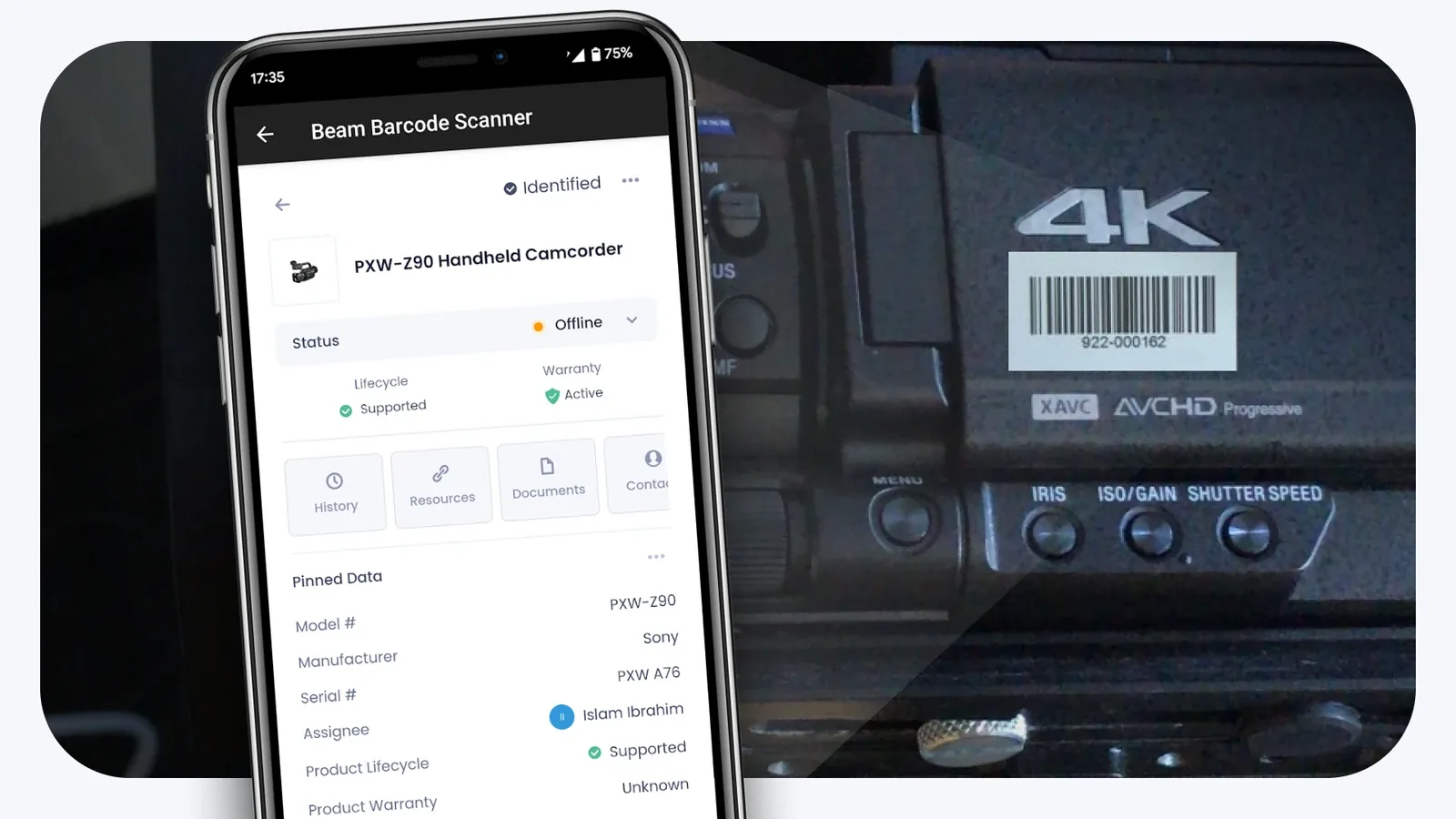
Beam Lens is more than just a barcode scanner; it's a portal to your Beam inventory that fits in your pocket. With Beam Lens, you can scan product barcodes to access and edit product data while in the field. Whether you're in the warehouse, on the truck, in the studio or on location, all your asset data is readily accessible from your phone.
Why We Built Beam Lens
The idea behind Beam Lens is straightforward: Sometimes you're in the field, away from your laptop, and you need to be able to easily access and edit asset data from your phone.
For instance, consider a day in the life of a production rental business. Assets constantly move between warehouses, job sites and OB vans. Each time a move happens, the asset’s location needs to be updated in Beam, but it’s simply not feasible to pull out a laptop every time you need to make such a change. As a result, data often doesn’t get updated causing miscommunication, lost assets, and operational disruptions.
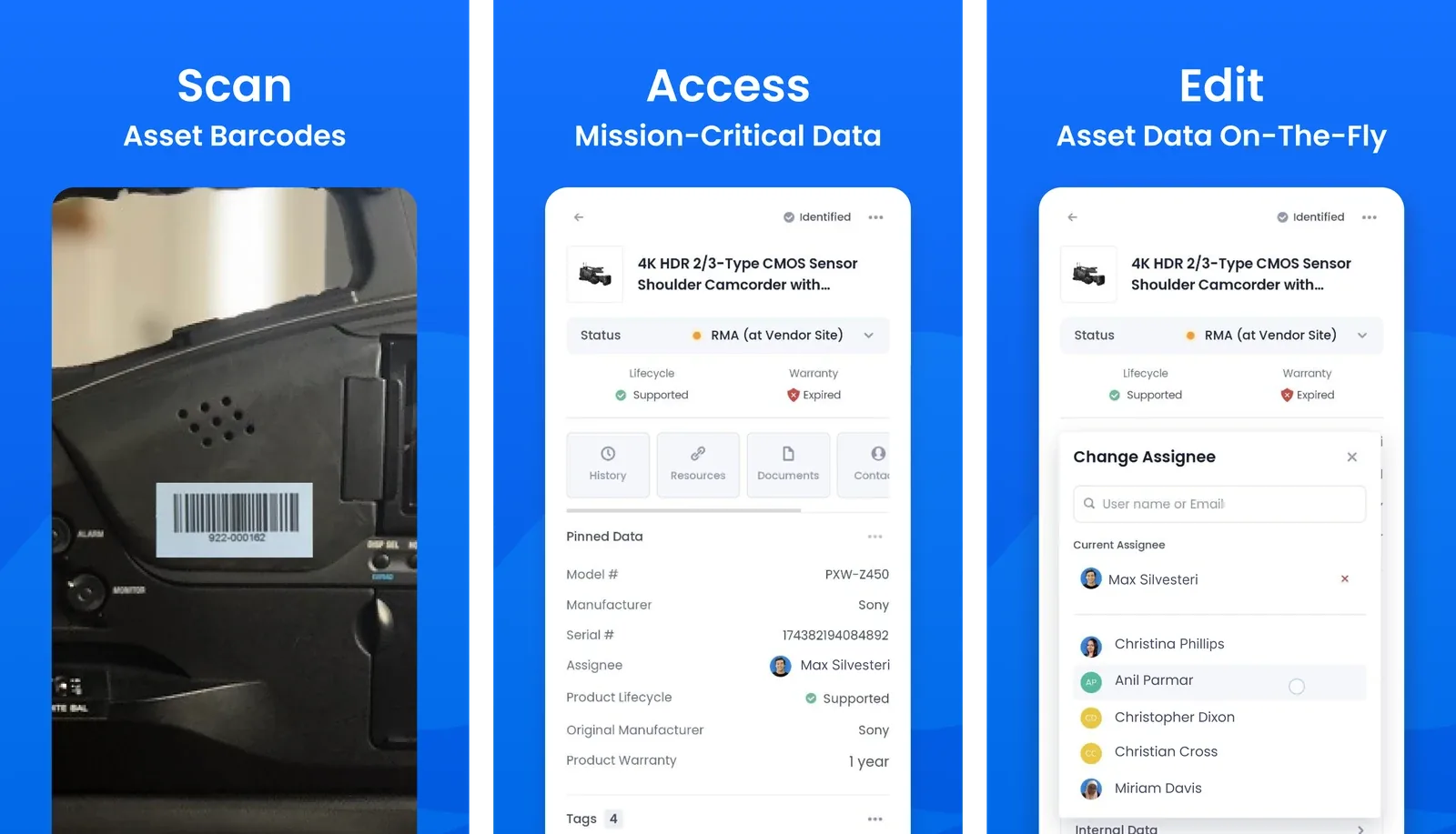
With Beam lens, the same location data can be updated in real-time. Using the app, you can scan an asset’s barcode to pull up and edit its asset page while you’re in the field. This ensures data accuracy, minimizing the chances of operational disruptions.
How To Use Beam Lens
Getting started with Beam Lens is simple:
- Assign barcode values to assets in your Beam inventory: Add barcodes to assets in your Beam inventory. If you want to learn how to do this, check out our documentation on assigning barcode values to your inventory.
- Download the App: Beam Lens is available on the Play Store and App Store.
- Start Scanning: Open the app, point your phone at an asset barcode, and start editing your asset data on the go.
You can read more detailed documentation on how to get started with Beam Lens here: