
















Connect Beam to the tools you already run.
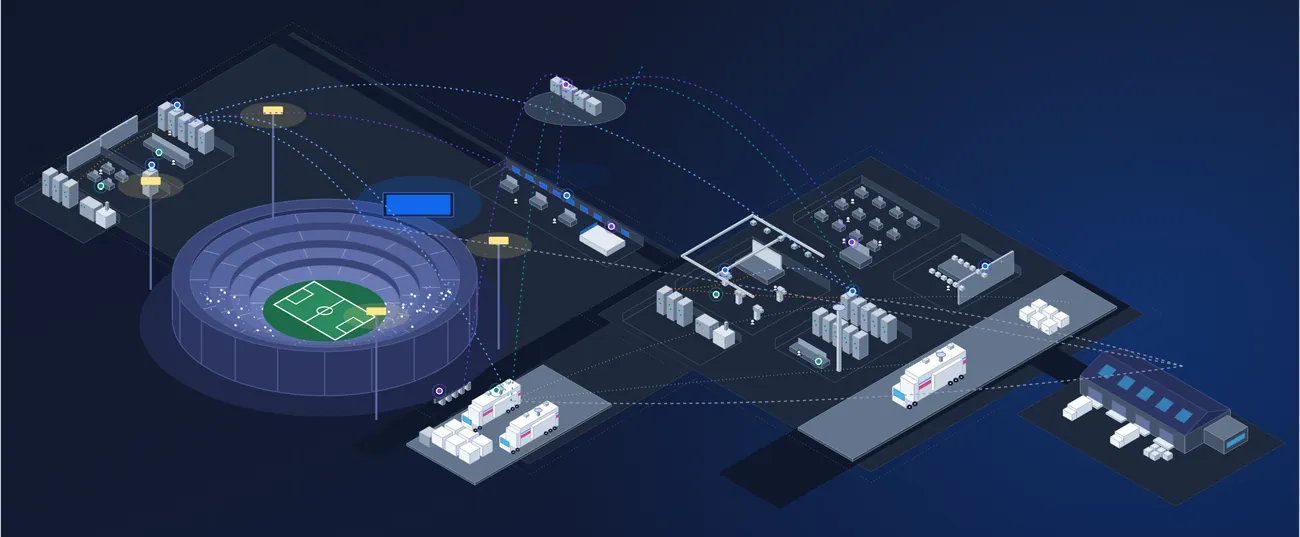
Beam keeps one record of your equipment, contracts and operations. Connect your ERP, service desk, identity provider and AI assistants to it, so each tool keeps its job and nothing is typed in twice.
One record, open to the rest of your stack.
Your finance system, service desk and identity provider each do a job Beam doesn't need to replace. Connect them, and the equipment, contracts, tickets and costs they share stay in step on one record.
For everything else there is an open API and webhooks, and MCP for the AI assistants your team already uses.
Connectors
ERP, finance, service desk, CRM and identity, connected to the record.
Open API
Read and write the record from your own apps and scripts.
Webhooks
Tell your other systems the moment something changes in Beam.
MCP
Let your AI assistant ask the record questions and act on the answer.
Connect the systems you already run
Finance, service, customer and identity systems connect to the record. Each one keeps doing its job, and the data they share with Beam stays in step without anyone re-keying it.
- ERP and finance systems
- Service desk and ticketing
- CRM
- Monitoring and alerting
- Single sign-on through your identity provider
- Spreadsheet import and export
- ERP and financePurchase orders, invoices and cost centersConnected
- Service deskTickets opened and updated on either sideConnected
- CRMCompanies and contactsConnected
- MonitoringAlerts raised against the right deviceConnected
- Identity providerSingle sign-on for every userConnected
- Spreadsheets and BIImports, exports and reportingConnected
An open API and webhooks for everything else
Read and write assets, contracts, tickets, reservations and companies from your own apps and scripts. Webhooks tell your other systems when something changes, so they don't have to keep asking.
- Open REST API across the record
- Webhooks when records change
- Keys issued per integration
- Developer documentation
GET /v1/assets?location=studio-b

200 OK
{
  "name": "Camera 4",
  "product": "Sony HDC-3500",
  "location": "Studio B",
  "status": "In service",
  "assigned_to": "Engineering",
  "warranty_ends": "2027-03-31",
  "firmware": { "installed": "3.10", "latest": "3.20" }
}
MCP for the AI assistants your team already uses
Connect an assistant that supports the Model Context Protocol and it can ask the record a question and act on the answer: find what is behind on firmware, check what a contract covers, open the tickets.
- Works with MCP-compatible assistants
- Questions answered from the live record
- Actions such as opening tickets and updating records
- Limited to what the user can see and do in Beam
- Camera 2Sony HDC-3500
- Camera 4Sony HDC-3500
- Camera 7Sony HDC-3500
Every connection, under your control.
Integrations work inside the same permissions as the people who use Beam. You decide what each connection can see and change, and every change is recorded.
- Permissions per connection
Each integration and API key sees only the data you allow it to.
- Single sign-on
Users sign in through your identity provider.
- AI within the user's access
An assistant connected through MCP can see and do only what its user can.
- Audit trail
Changes made through connectors, the API and MCP are logged on the record.
Connected across every Beam product.
Integrations work on the same record as the rest of Beam, so whatever comes in reaches every product that uses it.
- Asset IntelligenceAsset records available to your other systems and your AI assistant.
- Contract IntelligenceAgreements, costs and renewal dates shared with finance.
- Projects & ProcurementPurchase orders and invoices from your ERP become assets on arrival.
- Ticketing, Workflows & MaintenanceTickets kept in step with your service desk and raised from monitoring alerts.
- Scheduling & ReservationsBookings and availability for your own apps and calendars.
- Built-in Product DataVerified manufacturer data travels with every record you share.
Connected as part of your rollout.
Our team connects your systems with you while your first site goes live, and brings your existing data across with secure, AI-assisted migration.
Choose what to connect
Tell us the systems you run. We agree what each one shares with Beam, and in which direction.
Connect with our team
Connectors are set up and tested with you, with permissions set per connection.
Bring your data across
Spreadsheets, legacy tools and exports come across and are matched to the manufacturer's product as they land.
Everything in Integrations, API & MCP.
The full list, grouped the way the product is. Open a group to see what is in it.
ConnectorsThe systems you already run, connected to the record.
- ERP and finance systems
- Purchase orders, invoices and cost centers
- Service desk and ticketing
- CRM companies and contacts
- Monitoring and alerting
- Spreadsheet import and export
- Reporting and BI exports
API and webhooksFor your own apps, scripts and data pipelines.
- Open REST API
- Assets, contracts, tickets, reservations and companies
- Webhooks when records change
- Keys issued per integration
- Developer documentation
MCP and AIYour AI assistant, working from the record.
- MCP server for compatible AI assistants
- Questions answered from the live record
- Actions such as opening tickets and updating records
- Limited to the user's own access
Security and controlWhat each connection can see and change.
- Single sign-on through your identity provider
- Permissions per connection
- Audit trail on every change
- Controlled user access
Data migrationBringing your history across.
- Secure, AI-assisted migration
- Spreadsheet import via .csv or .xls
- Legacy data import
- Matched to verified manufacturer products
See Beam connected to your stack.
Tell us the systems you run and we will walk through how they connect.