

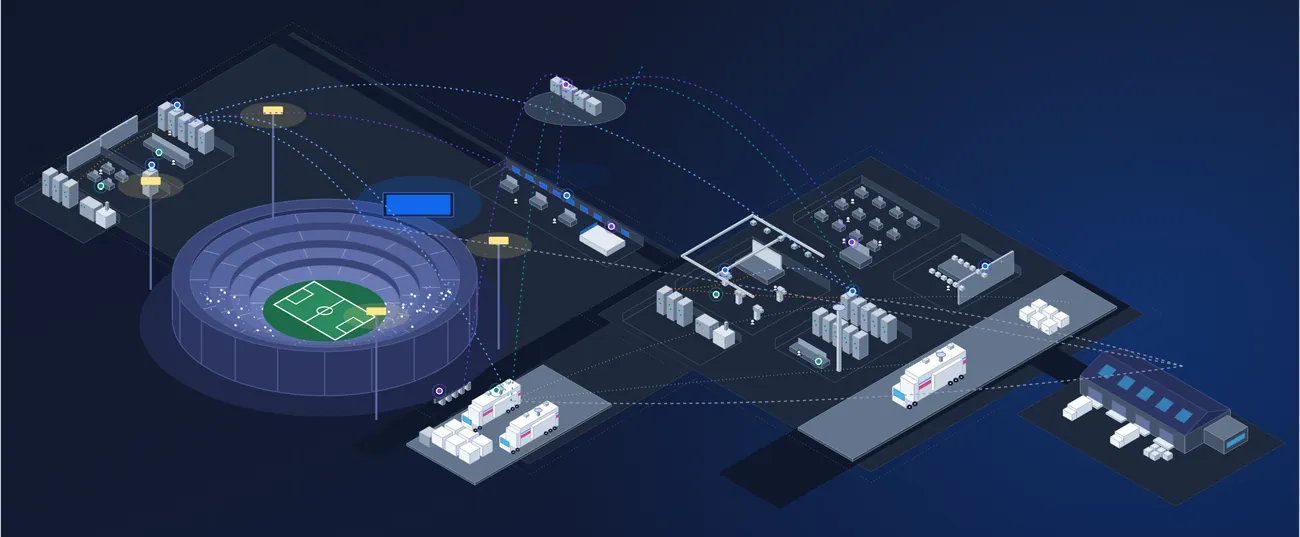





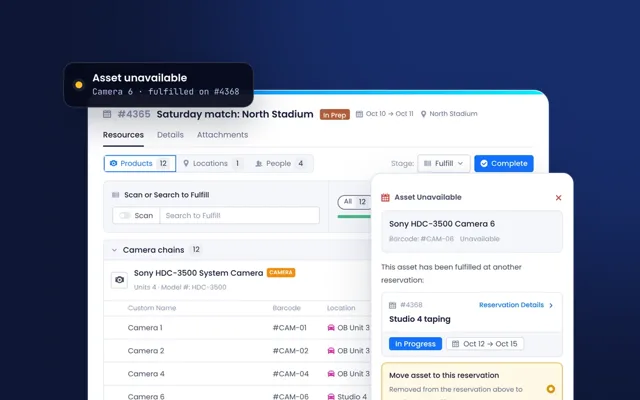

You create the experience. Beam runs the operations behind it.
Every asset, license, contract, service and crew behind your productions, venues and workplaces, on one connected record. Buy it, run it and know what it costs, in one place.
Behind the broadcasts, games and events you watch









One record. Every team. Every workflow.
Beam keeps everything behind your productions, venues and workplaces on one connected record, and gives every team its own way to work on it.
- DevicesCameras, routers, consoles and anything with a serial number.
- LicensesSoftware seats and subscriptions, tracked like any other asset.
- ServicesCloud playout, connectivity and support, delivered rather than shipped.
- ContactsCrew, freelancers and the people outside your team.
- LocationsStudios, rooms, venues and sites, nested up to seven levels deep.
- ContractsWarranties, support and licenses, with terms and renewal dates.
- CompaniesVendors, partners and clients, with the work you share.
- DocumentsManuals, drawings and invoices on the record they belong to.
- Projects & ProcurementPurchase requests, approvals and orders, from quote to installed asset.
- Scheduling & ReservationsPlan, book and check out equipment, people and spaces.
- Ticketing & MaintenanceService tickets and planned maintenance on the assets they concern.
- RenewalsContracts and licenses flagged ahead of the deadline.
- Resource ManagementYour team and freelance crew, booked alongside the equipment.
- Consumables and partsStock levels, restock alerts and usage on tickets.
- Integrations, API & MCPERP, CRM and your AI tools, connected to the record.
- Quoting, Billing & InvoicingComing soonQuotes and invoices from the work you deliver.
- FinanceSpend, contracts and renewal dates across the estate.
- OperationsBookings, availability and where everything is right now.
- EngineeringConfiguration, firmware and maintenance history.
- SecurityPatches, access and a full trail of every change.
- Saved viewsFilters, columns and grouping saved for you, a team or everyone.
- Filter everythingAny list, by any field, default or custom.
- Roles and permissionsAccess to records, fields and actions, set by role.
- AlertsStatus changes and renewals, sent to the right group.
Start with one job. Add the rest when you’re ready.
Asset Intelligence that knows where everything is
Contracts and renewalsContract Intelligence that never misses a renewal
Client workspacesIntegration Intelligence for every client you support
Bookings and check-outScheduling & Reservations without the double bookings
Tickets and maintenanceTicketing, Workflows & Maintenance before a fault becomes downtime
Built for the people behind the show. Whatever kind of show it is.
Enterprise
Broadcasters, streamers, live events and sports.
ExploreService providers
The companies that build and run production for others.
ExploreVenues
Places where the show meets its audience.
ExplorePro AV
Screens, rooms and systems across every site.
ExploreSystem integrators
Own everything after handover.
ExploreEverything behind the show has a record.
Eight kinds of thing, each with its own record and each tied to the others. A camera knows its location, its contract, its crew and the truck it travels in.
Assets
Cameras, racks, screens and every other device you own, rent or support.
In Beam you can- Keep configuration, warranty and history on one record
- Get specs, manuals and lifecycle status from the manufacturer
- Check equipment in and out with a barcode scan
Licenses
Software seats, subscriptions and feature keys, and what each one runs on.
In Beam you can- Track seats in use against what was bought
- Link each license to the devices and teams that use it
- Get renewal alerts ahead of the deadline
Services
Cloud, connectivity and support plans you pay for month after month.
In Beam you can- Record what each service runs, its provider and service level
- See renewal dates and spend by vendor
- Keep the provider's support contact on the record
People
Staff, crews and freelancers, and what each of them is holding.
In Beam you can- Assign equipment to a person or crew and see who has what
- Book people on the same calendar as equipment and rooms
- Control who sees credentials and who gets each alert
Locations
Sites, rooms and racks, down to where each thing sits.
In Beam you can- Build a hierarchy up to seven levels, from building to rack
- See everything at a site, in a room or in a rack
- Reserve rooms and spaces on a shared calendar
Vehicles
Trucks, vans and trailers, with everything on board.
In Beam you can- See every rack and device on board
- Book the vehicle and its equipment for a job
- Scan equipment on and off with the mobile app
Contracts
Warranties, support agreements, leases and rentals, with their dates.
In Beam you can- Keep terms, payments and documents on each agreement
- See cover on every asset: in cover, expiring or none
- Get renewal alerts sent to the owner ahead of the deadline
Companies
Vendors you buy from, partners such as integrators, and the clients you work for.
In Beam you can- Group agreements and spend by vendor, with renewal history
- Keep each vendor's support contact to hand
- Open a workspace to a client, with their assets and tickets
Point at a block or a name to see what Beam does with it.Tap a name to see what Beam does with it.
From purchase order to next site. One record for all of it.
Beam runs the daily operation: what arrives, where it goes, who has it and what it needs next.
- Buy
- Deploy
- Schedule
- Operate
- Maintain
- Renew
- Expand
Buy
Purchase orders become records before the boxes arrive.
- FinanceCommitted against received, live
- OperationsReceiving by scan, not by spreadsheet
- EngineeringConfiguration planned per device
- SecurityFirmware baseline known on arrival
Deploy
Racked, configured, assigned and switched on.
- FinanceBudget consumed, run cost starts
- OperationsAssets located and assigned
- EngineeringAs-built drawings attached per room
- SecurityCredentials in the vault
Schedule
Studios, kits, trucks and crews are booked against the same record.
- FinanceCost of each job, before it happens
- OperationsBookings without the double bookings
- EngineeringThe right kit, ready and configured
- SecurityWho has what, and where it is going
Operate
Checked out, tracked on the job and checked back in.
- FinanceRun cost, cost per event and margin
- OperationsLocated, assigned and accounted for
- EngineeringSignal path, uptime and firmware in view
- SecurityEstate and cloud monitored
Maintain
Faults, service visits and patches all run against the device.
- FinanceRepair cost against coverage
- OperationsDowntime and its impact on bookings
- EngineeringFrom fault to ticket to resolved
- SecurityAdvisories matched to firmware in the field
Renew
Renewals and end of life surface before they become emergencies.
- FinanceRun cost and return recalculated
- OperationsRenewals routed before the event
- EngineeringReplacements planned and racked
- SecurityUnsupported equipment flagged
Expand
The next site starts on the same record, with everything the first one learned.
- FinanceOne view across sites and events
- OperationsShared crews, kits and trucks
- EngineeringStandards carried forward
- SecurityOne posture, every site
It costs less to build.
And less to run, at every stage.
Each stage saves on its own and keeps the savings of the stages before it, so the longer you run on Beam, the more it adds up.
BuyBudget, quotes and purchases sit in one project, with what you already own counted first.
DeployPurchase orders create the records, so equipment arrives ready to deploy.
ScheduleStudios, equipment, trucks and crews are booked against one record, so nothing is rented that you already have.
OperateEvery item is checked out, tracked on the job and checked back in.
MaintainAdvisories and service dates become tickets before the show.
RenewEach renewal shows what the contract still covers, so you renew only that.
ExpandThe next site starts on the same record, with everything the first one learned.
Start with the list you have. The record fills itself in.
A spreadsheet, an export or an invoice is enough. Every line is matched to verified data from 11,000+ manufacturers, then kept current as they publish.
It fits the stack you run. Nothing is typed in twice.
Your ERP, service desk, CRM and identity provider keep their jobs. Beam keeps them in step on one record, with an open API, webhooks and MCP.
Your first site, live in weeks.
Starting from the list you already have.
Asset Intelligence is a few clicks away.
Your first site follows in weeks.
An implementation specialist works with your team from the first conversation, brings your data across with secure, AI-assisted migration, and stays alongside as your first site goes live.
- TodayBook a Demo
Thirty minutes, built around your operation.
- In daysMigrate
Your lists and legacy tools come across, matched as they land.
- AlongsideShape it to how you run
Views, fields and permissions for each team.
- In weeksYour first site goes live
Your team runs the first site, specialist alongside.
Live - ThenEvery other site
One site at a time, on the same record.
- An implementation specialist
- Support 8am to 8pm ET
- Every update included
- Unlimited users
See your own equipment in Beam.
Send us a list and we will load a sample of it into a live demo.
- 30 minutes
- Video call
- Built around your operation